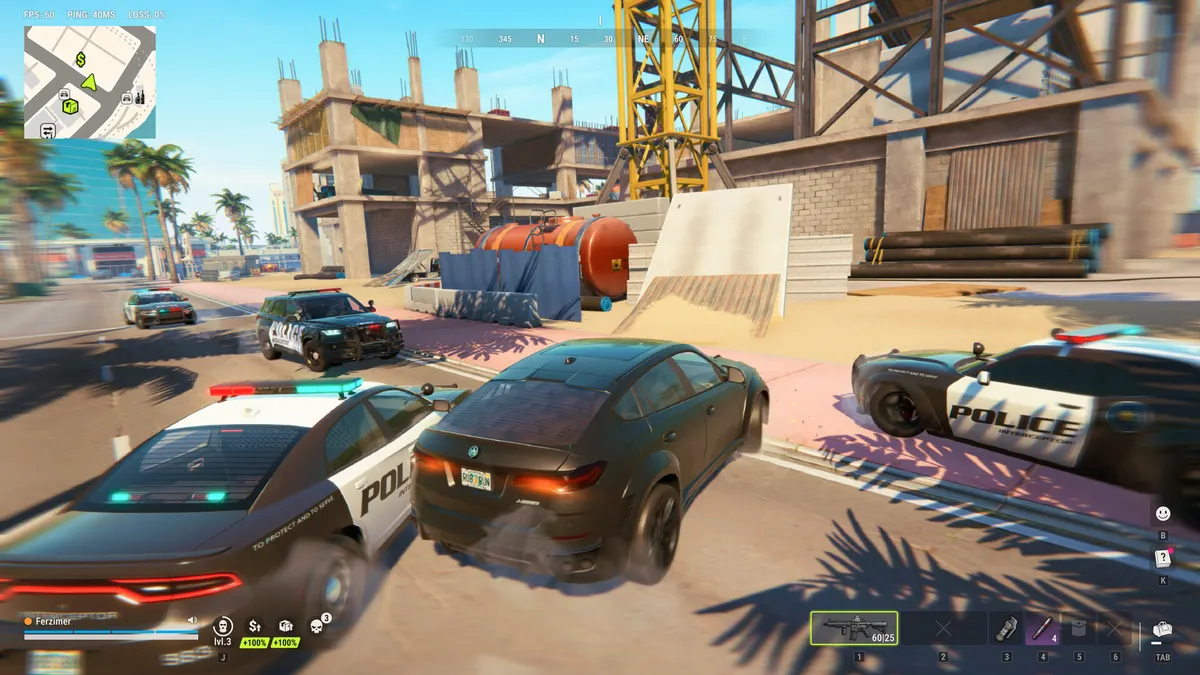
In short
Shadows are the biggest win: turning them off took one test from 87 to 112 FPS. Also turn off Additional Light and set Render Resolution to 0.8 instead of lowering your screen resolution. If your FPS collapses when you move the mouse, drop its polling rate to 1,000 Hz, then 500 Hz. Keys: H opens Shipments, holding E grabs everything.
Rob Run runs on most recent PCs, but its default settings aren’t the fastest. Here is what really matters, and what comes down to the network rather than your graphics card.
Minimum specs and launch crashes
Kefir asks for 64-bit Windows 10 at minimum, DirectX 11 and 20 GB of disk space official (Help Center). If the game crashes on launch, first check that your processor supports AVX2: some players link part of the crashes to it community (Vaporlens). Only then follow the official troubleshooting: check your connection, restart the game and Steam, update your graphics driver official.
Settings for maximum FPS
Start from the Low preset, then adjust as below. Avoid the Minimum preset, which makes the image blurry.
| Setting | Max FPS | Balanced |
|---|---|---|
| Display mode | Fullscreen | Fullscreen |
| Resolution | native | native |
| Render Resolution | 0.8 | 1.0 |
| VSync | off | off |
| FPS limit | unlimited | your monitor’s refresh rate |
| Anti-aliasing | off | SMAA |
| Shadows | Disabled | Disabled |
| Additional Light and its shadows | off | off |
| Post-processing, HDR, motion blur, depth of field, HBAO, reflections, eye adaptation | off | off |
| Textures | Medium | High |
| LOD | 0.7 | 1.0 |
| LOD Crossfade | off | off |
| Object Visibility Distance | Maximum | Maximum |
| Water | Low | Low |
| Grass and Grass Draw Distance | minimum, Low | minimum, Low |
| Skinning | Two Bones | Two Bones |
| UI blur | off | off |
Settings tested by KeenGamer on Nov 15 community (KeenGamer). In their test, on an RTX 2080 Super, turning off shadows took the game from 87 to 112 FPS. Lowering Render Resolution keeps your interface sharp, unlike a lower screen resolution.
Keep Object Visibility Distance at maximum, even on a small PC. Cutting grass and shadows while still seeing far also helps you spot other players and campers inferred.
Stutter and FPS drops
- FPS dropping when you move the mouse? That’s the polling rate, not your graphics card. If your mouse is set to 4,000 or 8,000 Hz, switch to 1,000 Hz, then 500 Hz if it keeps happening. KeenGamer attributes this tip to Kefir community.
- Intel 13th or 14th gen processor: check for BIOS updates community.
- Turn off overlays from Discord, Steam and NVIDIA if you stutter, install the game on an SSD and verify the files in Steam community.
- Show the metrics in the “Other” tab of the settings: FPS, ping and packet loss. Test in Looty Bay, where the game is heaviest community.
Lag and rubber-banding: it’s the network
If your character snaps back or other players teleport, no graphics setting will fix it: it’s the network community. Kefir blamed the first week’s outages on DDoS attacks community (VGTimes), and acknowledged connection problems on the EU servers on Nov 14 official (Steam, Nov 14). Picking a nearby region matters more than anything else: see servers and regions.
Key binds worth knowing
| Key | Action | Reliability |
|---|---|---|
| H | Open Shipments, at Lenny’s motel, in Looty Bay or in the desert | community |
| E (hold) | Grab everything in a room | community |
| Esc | Settings, with your UID under your character name | community |
| Q (cop) | Order a criminal to surrender, +20% on the arrest | community |
| Alt (cop) | Lower the barriers on bridges, according to a guide | community |
| F | Put on the mask, according to a guide, unverified | community |
Sources: games.gg, GameRant, robrun.fyi and robrun.info. Kefir doesn’t publish an official key list. Your UID is mostly useful to report a cheater or contact support.
Next, Shipments are explained in what to unlock first, and your first outings in getting started.
FAQ
How do you get more FPS in Rob Run?
Set Shadows to Disabled, turn off Additional Light and its shadows, and set Render Resolution to 0.8 instead of lowering your screen resolution. In one test, shadows alone took the game from 87 to 112 FPS.
Why does Rob Run crash on launch?
Some players link part of the launch crashes to CPUs that don't support AVX2. Check your CPU, then verify the game files in Steam and update your graphics driver.
What key opens Shipments in Rob Run?
The H key opens the Shipments menu, usable in the desert, at Lenny's motel and in Looty Bay. Holding E grabs everything in a room, and Esc opens the settings with your UID.